

評価フォームの自動採点オプション
前提条件
- Genesys Cloud CX 3、Genesys Cloud CX 4、Genesys Cloud CX 2 WEMアドオンI、Genesys Cloud CX 1 WEMアドオンII、またはGenesys Cloud EXライセンス + AIトークン
- 品質管理者 権限
- 品質>評価フォーム> AIスコアリングを編集
- オプションで、品質>評価>機密データを表示する許可を得て、AI が選択した回答が選ばれた理由を判断するための理由を確認します。
Genesys は評価質問に対する自動スコアリング機能を提供するため、スーパーバイザーはコーチングに多くの時間を費やし、手動によるインタラクションレビューに費やす時間を減らすことができます。これらの機能により、品質管理プロセスが合理化され、エージェントが継続的に改善するのに役立ちます。会話データを実用的な洞察に変換することで、ジェネシス AI スコアリングそして評価支援サービス品質と運用効率の目に見える改善を実現します。どちらのソリューションも、音声およびデジタルインタラクションタイプをサポートしています。
AIスコアリングの概要
ジェネシス AI スコアリング顧客とのやり取りの評価を自動化する AI 駆動型機能です。手動による評価だけに頼るのではなく、事前に定義された品質基準に基づいてトレーニングされた AI モデルを使用して、大規模な会話のスコアリングを行います。
その結果、評価がより速く、より一貫性があり、より客観的になり、人間の偏見が排除され、より大規模で代表的なインタラクション セットがレビューされるようになります。AI スコアリングは、自動スコアリングに加えて、エージェントのパフォーマンスを向上させるためのターゲットを絞ったコーチング フィードバックとしてスーパーバイザーが使用できる詳細な回答説明も提供します。
評価支援の概要
評価支援トピックを活用して、特定の評価フォームの質問への回答を自動化します。トピックは、ビジネスの意図を表すフレーズで構成されます。例えば、顧客がサービスをキャンセルしたいというやり取りを検出するには、次のようなトピックを作成します。キャンセル「アカウントを閉鎖したい」や「キャンセルしたい」などのフレーズを含めます。
これらのトピックは、基盤となる言語モデルを調整してビジネスにとって最も重要な用語やフレーズを探すことにより、組織固有の言語の認識を改善します。
フォームの質問に評価支援条件が追加されると、音声およびテキスト分析によって、関連付けられているトピックを含むインタラクションが識別されます。一致するトピックが見つかった場合、システムはその質問に対する回答を自動的に生成します。
詳細については、以下を参照してください。 プログラム、トピック、フレーズを理解する、 そしてトピックを扱う。
- 質問グループを作成します。詳細については、評価フォームを作成して公開する。
- 新しい質問を追加するときに、質問ごとに自動採点を設定できます。
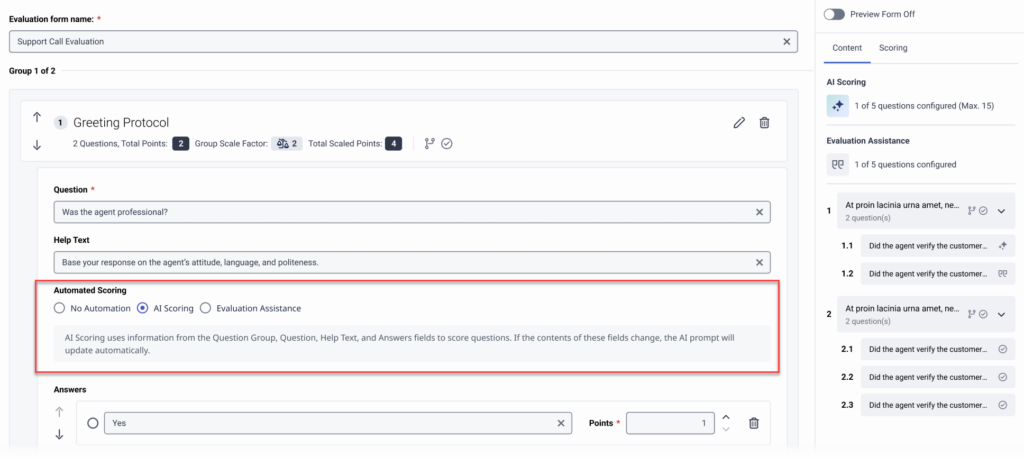
オプションは次のとおりです:- 自動化なし
- AIスコアリング
- 評価支援
- 質問を保存し、評価フォームの設定を完了します。詳細については、評価フォームを作成して公開する。
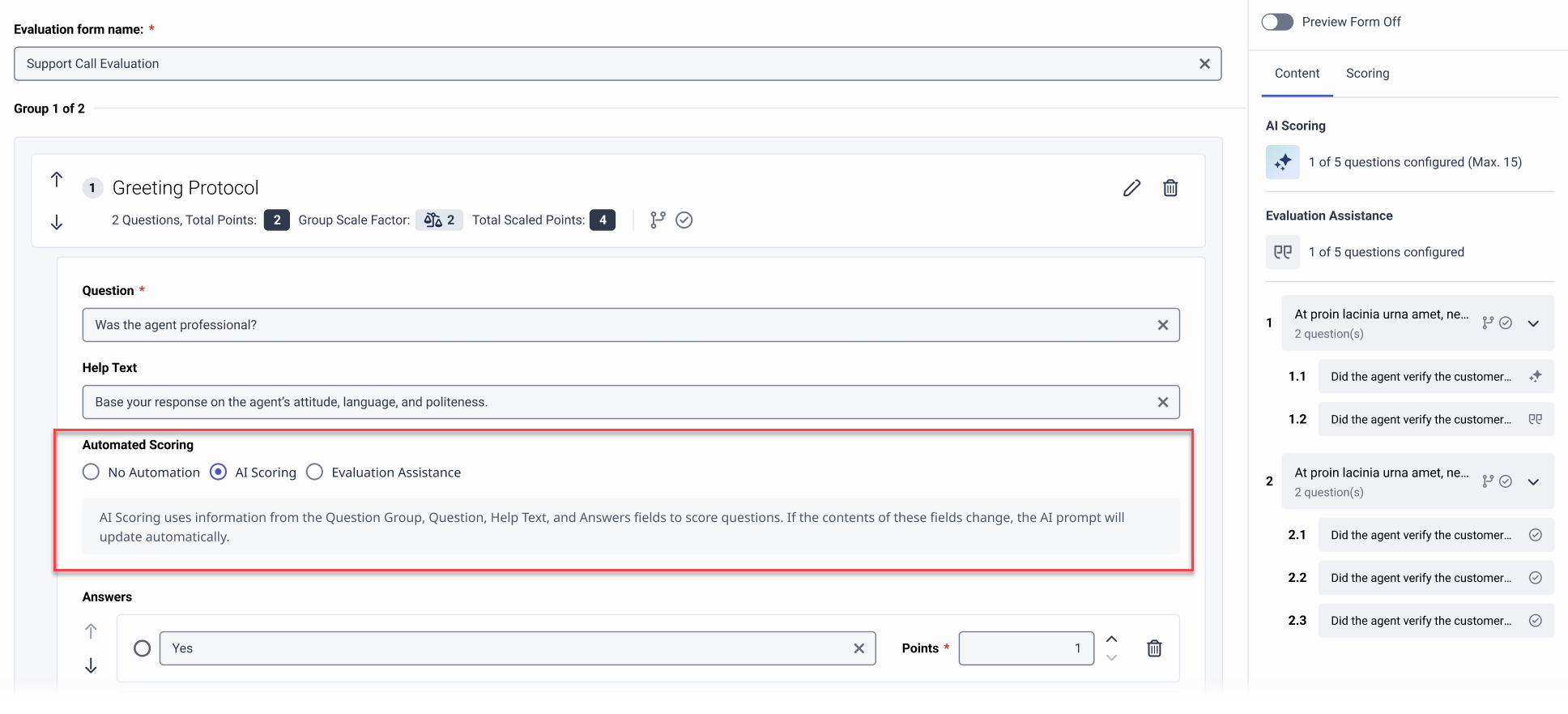
評価フォーム エディター内で質問ごとに AI スコアリングを有効にして、Genesys Cloud が AI を使用して評価の回答を事前入力するようにすることができます。
質問プロンプトを作成する
プロンプトは、質問グループのテキスト、質問、回答、およびヘルプ テキストから自動的に構築されます。不明瞭な質問を言い換え、これらのフィールドにコンテキストを追加すると、AI スコアリングに対する質問の有効性を高めることができます。
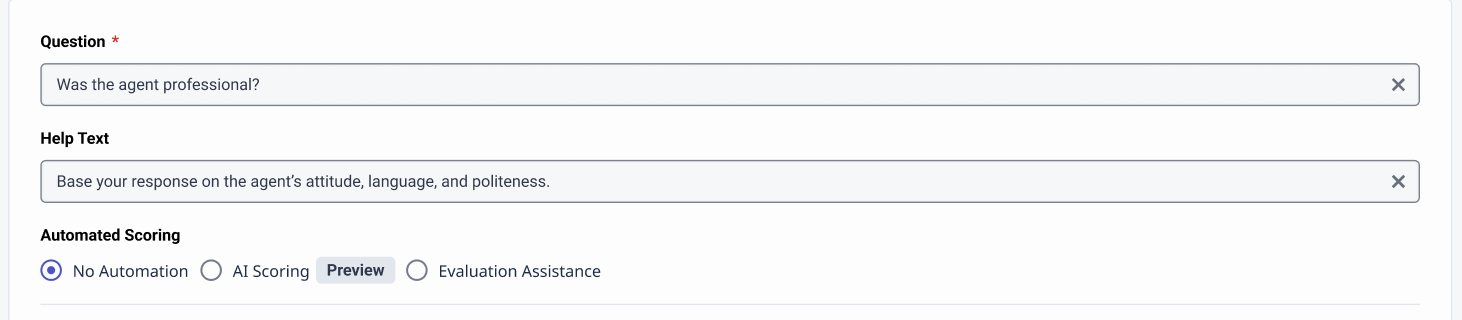
不明瞭な質問の例1:「お客様は満足しましたか?」
- AIスコアリングのための明確な質問:「エージェントは会話の終わりまでに顧客の問題を満足のいく形で解決しましたか?」
- ヘルプテキスト:「エージェントが顧客の主な懸念に対処したかどうかに焦点を当て、顧客が最後に肯定的なフィードバックを表明したり、満足を示したりした場合。
不明瞭な質問の例2: 「担当者はお客様にきちんと挨拶しましたか?」
- AIスコアリングのための明確な質問:「エージェントは、通話の始めに顧客にフレンドリーな口調で挨拶し、名前を呼びましたか?」
- ヘルプテキスト:「エージェントが温かく丁寧な態度で挨拶し、顧客の名前を呼んでいるかどうかを確認してください。通話開始から30秒以内に、フレンドリーな雰囲気を作りましょう。」
プロンプトフィルター
構成済みAI スコアリング用の質問ではプロンプト フィルターが使用されるため、Genesys Cloud は AI モデルの回答の信頼度が高い質問に対してのみ回答を提供します。
- 回答制限:AIスコアリング設定を保存することはできません回答の選択肢が 3 つ以上ある質問。
- N/Aまたは証拠なし:この場合、AI モデルには質問に答えるのに十分な情報がありません。ジェネシスクラウドAI モデルが回答を提供できない場合にコンテキストを表示します。
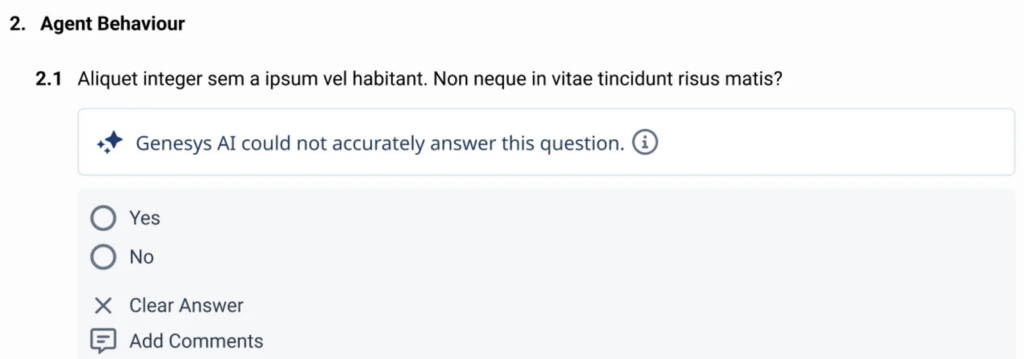
- 歴史的正確性: Genesys Cloud は、AI によって生成されたスコアリング回答から保存されたデータを継続的に確認し、その信頼性を評価します。精度は、人間の評価者が AI が提供した回答をどのくらいの頻度で修正するかによって測定されます。精度が許容可能なしきい値に達すると、Genesys Cloud は同じ質問を含む将来の評価のために AI によって生成された回答を自動的に表示します。過去の正確性は、各質問の最新の 25 件の提出に基づいて計算されます。このローリングウィンドウ内の精度が 75% を下回ると、質問に信頼度が低いという警告が付けられ、AI によって生成された回答は評価者から非表示になります。ただし、Genesys Cloud はバックグラウンドで AI 回答の生成と保存を継続し、新しい評価が入ると精度を再評価できます。同じ 25 回の送信期間に基づいて精度が 75% 以上に戻ると、低信頼度フラグが削除され、AI によって生成された回答が評価者に再び表示されるようになります。
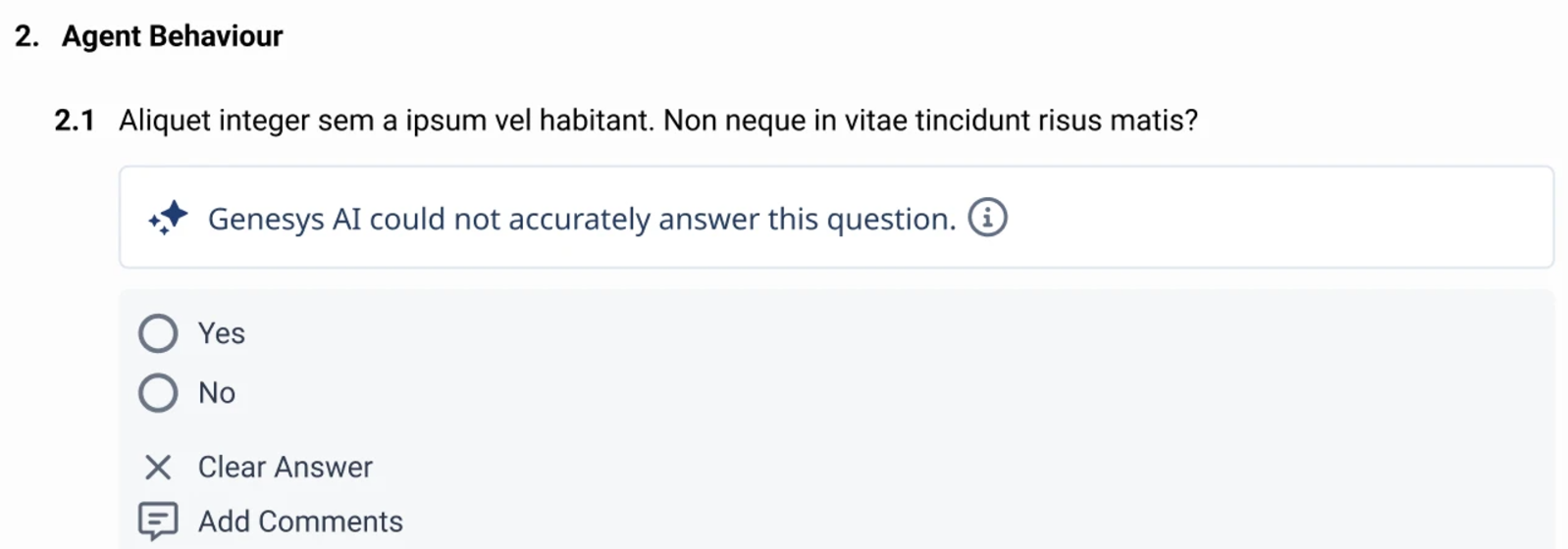
- フォームを変更して再公開すると、Genesys Cloud AI スコアリングが設定された質問の追跡履歴をリセットします。
- Genesys Cloudトラック特定の質問の履歴を最大 30 日間保存します。30 日後に質問に対するアクティビティがない場合、履歴は削除されます。
- AIスコアリングのガイドラインとベストプラクティスの詳細については、以下を参照してください。 AIスコアリングのベストプラクティス。
- エージェント自動完了評価フォームの作成方法の詳細については、以下を参照してください。エージェントの自動入力フォームタイプ。
フォームの質問に評価補助条件を追加する
- 評価票の質問を作成する。
- 評価補助条件の追加 をクリックして、回答を自動生成させたい回答に関連付けます。
- select ifconversation リストから、会話に 1 つまたは複数のトピックを含めるか除外するかを選択します。
- これらのトピック リストから、1つまたは複数のトピックを選択します。
- (オプション)評価補助条件の追加 オプションを再度クリックし、同じ回答に別の条件を追加します。
- トピックは、複数の評価支援条件で使用することはできません。
- トピックを削除すると、削除したトピックを含む条件は無効となります。
- 評価補助条件は、1問につき1つの回答に対してのみ設定することができます。
- 1つのトピックに対して複数のトピックを選択した場合含まれるもの条件が真となるには、トピックの 1 つだけが見つかる必要があります。
- 1つのトピックに対して複数のトピックを選択した場合除外条件が偽であるためには、トピックの 1 つだけが見つかる必要があります。条件が真であるためには、すべてのトピックが対話に存在しない必要があります。
- 1 つの回答に対して複数の条件が作成されている場合、回答が自動的に入力されるには、すべての条件が満たされている必要があります。
